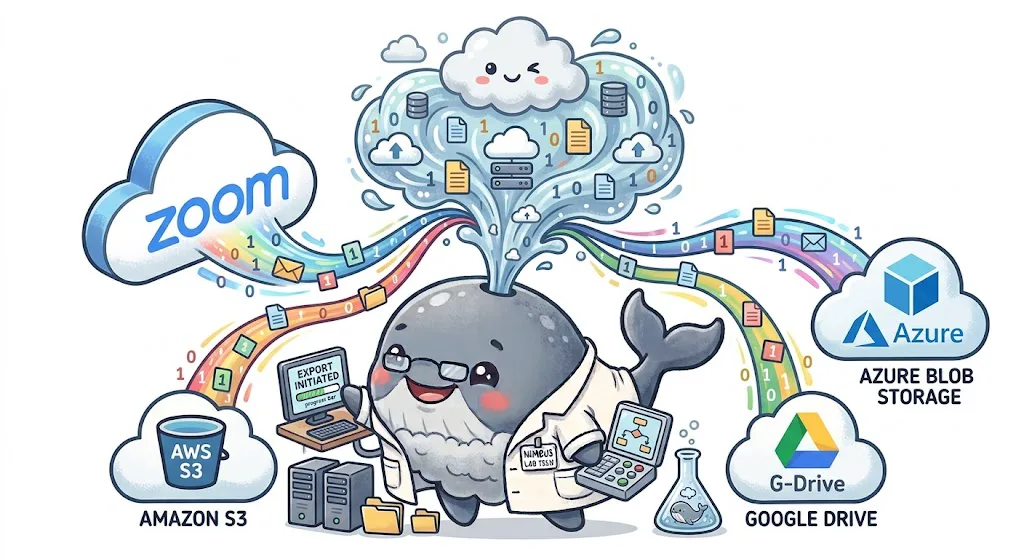
Cloud Recording Exporter for your Zoom recordings.
Export completed Zoom cloud recordings and transcripts to Google
Drive, Amazon S3 or Azure Blob Storage. Start with manual exports,
or use Pro to automate transfers with retries and destination
verification.
Cloud Recording Exporter is designed around a narrow purpose:
transfer authorized recording content to storage you control, with
clear safeguards at every step.
01
Content stays on the move
Recording and transcript content is designed to stream through
the transfer path to your destination, not remain in a separate
Nimbus Whale content archive. Limited operational metadata and
encrypted OAuth credentials are handled separately.
02
Protected in transit
External traffic uses HTTPS, Zoom webhook signatures and
timestamps are verified, and OAuth tokens are encrypted at rest
using AES-256-GCM.
03
Rate-aware reliability
Provider response headers, quota signals, retry windows,
checksums, destination verification, and durable job retries
help transfers stay predictable when Zoom or a storage API slows
down.
04
Privacy-aware controls
Purpose limitation, data minimization, controlled retention,
user-level authorization, revocation, and deletion safeguards
support privacy workflows relevant to Singapore’s PDPA.
Nimbus Whale Labs does not claim independent PDPA certification.
Compliance depends on the complete technical, contractual, and
organizational context of each deployment.
One Zoom export workflow. Three cloud storage options.
Move video, audio, chat, and transcript files into the system that
fits your organization—without relying on repetitive manual
downloads.
G
Zoom recordings to Google Drive
Export Zoom cloud recordings to an app-created Google Drive
folder with a clear meeting-based layout and visible delivery
status.
Download Zoom recordings to an S3 bucket for centralized
archives, downstream processing, lifecycle policies, or
integration with your existing AWS data platform.
Bucket and prefix conventions
Works with your storage-class and lifecycle policies
Transfer Zoom cloud recordings into Azure Blob containers for
long-term storage, controlled access, analytics pipelines, or
enterprise retention workflows.
A Zoom recording.completed webhook starts the
export after cloud processing finishes.
02
Retrieve
The workflow lists available recording files and securely
follows authenticated download links.
03
Transfer
Selected MP4, M4A, chat, and transcript files move into Drive,
S3, or Azure Blob Storage.
04
Verify
Checksums, metadata, retries, and status records make each Zoom
recording export observable.
More than a download script.
Flexible recording selection
Choose which recording types to export, including speaker view,
gallery view, shared screen, audio-only, chat files, and VTT
transcripts when available.
Reliable transfer handling
Account for Zoom processing delays, authenticated download URLs,
redirects, destination API limits, response-header telemetry,
retries, and partial failures.
Useful organization
Keep exports navigable with a predictable UTC date and
meeting-UUID layout, a monthly index, and a per-meeting manifest
containing file paths, sizes, checksums, and completion status.
Retention-aware workflows
Coordinate export completion with your organization’s Zoom and
destination-storage retention policies. Optional deletion should
only occur after verified transfer and explicit approval.
7 days of Pro. No charge until the trial ends.
Eligible first-time users can connect Zoom and a destination, then
test automatic exports, retries, and transfer history for a full 7
days.
$9.99/month after trial$95/year after trial
Start your 7-day free trial ↗A payment method is required. Cancel before the trial ends to
avoid a charge. Trial eligibility is checked using your Zoom user
ID; prior trial users start paid billing immediately.
Zoom recording export FAQ
Does this export cloud recordings or recordings on my computer?
Cloud Recording Exporter works with completed recordings stored
in the connected Zoom user’s cloud account. It does not upload
files from your computer. The separate
Local Recording Uploader
is coming soon.
Where do I start with Google Drive exports?
Connect your Zoom account and configure Google Drive separately
in your dashboard. Follow the
Google Drive setup instructions, then check the exported files in your Nimbus Whale Exports
folder. Automatic transfers require Pro and an enabled
destination.
Can Zoom cloud recordings be downloaded automatically?
Yes. A workflow can react when a recording finishes processing,
retrieve its recording files through the Zoom REST API, and
download each selected file with authenticated requests.
Can you export Zoom recordings directly to Google Drive?
Yes. Cloud Recording Exporter downloads selected completed Zoom
cloud recordings and uploads them to its Nimbus Whale Exports
folder in Google Drive.
Can the app browse my entire Google Drive?
No. Cloud Recording Exporter requests the limited
drive.file permission and can manage only its
app-created export folder and files it creates or that you
explicitly open with it. See the
Privacy Policy
for details.
Can Zoom cloud recordings be transferred to Amazon S3?
Yes. Recordings can be exported into an S3 bucket with a
configurable object prefix, per-meeting JSON metadata, and
compatibility with your bucket’s storage and lifecycle policies.
Can Zoom recordings be archived in Azure Blob Storage?
Yes. The export workflow can transfer recording files into Azure
Blob containers using the configured prefix plus meeting-based
paths and metadata.
Is Nimbus Whale Labs affiliated with Zoom?
No. Nimbus Whale Labs is an independent service provider. Zoom
is a trademark of Zoom Communications, Inc. Google Drive, Amazon
Web Services, and Microsoft Azure are trademarks of their
respective owners.
Put your Zoom recordings on the right cloud.
Start with 7 days of Pro free, or tell us your destination,
retention rules, and recording volume for a custom plan.