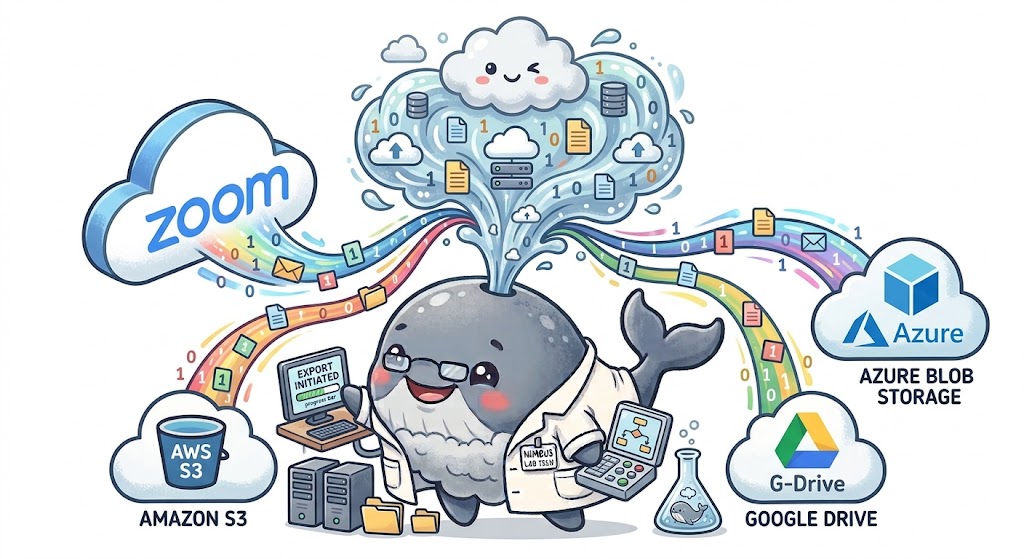
A focused post-meeting export workflow.
Cloud Recording Exporter is a user-managed Zoom OAuth application. It acts only for the Zoom user who authorizes it. The service listens for completed recording and transcript events, retrieves authorized download information from Zoom, and transfers selected files to the storage destination configured for that user.
This product is configured as From your site in Zoom Marketplace. A visitor first creates or signs in to a Nimbus Whale account, verifies the email address when registering, and then chooses Connect Zoom. The authorization callback must be reached from that flow; opening the callback URL directly is not a supported installation method.
Google Drive OAuth, Amazon S3 credentials, and Azure Blob credentials are configured from the authenticated dashboard. Setup is available on every plan; copying allowances and automatic transfers depend on the selected plan.
Prerequisites
- A Nimbus Whale account with a verified email address.
- A Zoom account with Cloud Recording enabled.
- A paid Zoom plan that supports the recording and transcription features you intend to export.
- Audio transcription enabled in Zoom if transcript exports are required.
- Access to the Google Drive folder, S3 bucket, or Azure container selected as the destination.
Connect in four steps.
Cloud Recording Exporter redirects you to Zoom’s authorization page. Confirm the app name and requested permissions.
Authorization applies only to recordings owned by the Zoom user completing the connection.
Open the dashboard and choose Google Drive, Amazon S3, or Azure Blob. Google uses OAuth; the S3 and Azure setup dialogs provide console and CLI instructions and validate read/write access. Never send credentials by email.
Record a short Zoom meeting to the cloud, end it, and allow Zoom to finish processing the files and transcript.
Zoom OAuth permits access to the authorized user’s Zoom recording data. Access to Google Drive, S3, or Azure is configured separately and can be revoked independently.
How to export Zoom recordings to Google Drive.
Cloud Recording Exporter requests only https://www.googleapis.com/auth/drive.file. It uses that permission to create and manage its Nimbus Whale Exports folder and upload the Zoom recordings and transcripts you select. It cannot browse your entire Google Drive or read unrelated files.
Connect
- Sign in and open the dashboard.
- Choose Setup on the Google Drive card.
- Select a Google account, review the limited permission, and approve access.
- Return to the dashboard and confirm that Google Drive shows Connected.
The service stores encrypted OAuth access and refresh tokens, the granted scope, and the app-created folder ID and name. File identifiers, basic metadata, and upload results are processed only for files created by the app.
Check your first export
Connecting Google Drive authorizes the destination; it does not by itself confirm a transfer. Use Manual Export for a completed recording, within your plan’s allowance, or enable Google Drive for automatic exports on Pro. Check the transfer status in the dashboard and open the delivered files in the Nimbus Whale Exports folder in Drive. A queued job is not yet a completed export.
Transcript files may arrive after the recording. See transcript processing and troubleshooting if an expected file is missing. Compare manual and automatic options on the Cloud Recording Exporter product page.
Disconnect, revoke, and delete connection data
Use the unplug icon on the dashboard to revoke the Google grant and delete the encrypted local tokens and folder configuration. You can also remove access from Google Account third-party connections. Files already uploaded stay in your Drive until you delete them there.
See the Privacy Policy for complete access, use, storage, sharing, retention, and Limited Use disclosures, or follow the detailed connection and removal guide.
Event-driven, verified, and observable.
- Zoom sends a signed completion notification to the Cloud Recording Exporter webhook.
- The service verifies the HMAC signature and timestamp before accepting the event.
- For automatic exports, the service refreshes the meeting recording details through the authorized Zoom connection, then runs the same destination-index, per-meeting metadata, and remote-object checks used by Manual Export.
- The service uses the user’s encrypted OAuth token to request recording or transcript download information.
- Files are transferred to the configured destination using one consistent layout: dated
YYYY/MM/DD/media keys/folders under the configured prefix. - The destination response is verified, then the worker updates root-level
index.jsonand datedYYYY/MM/DD/<meetingUUID>.jsonfor Google Drive, S3, and Azure, with source IDs, relative paths, sizes, SHA-256 checksums, and completion status. Missing metadata or destination objects are never treated as complete, so a later webhook or manual export can queue them again. Legacy Google Drive/Azure monthly indexes and old media paths remain readable. Zoom recordings are never deleted merely because an export was attempted.
After a manual or automatic transfer reaches a terminal state, the dashboard refreshes the destination JSON and verifies the remote objects before displaying the final exported status. Webhook requests are acknowledged quickly; file transfer, metadata index updates, retry, and destination verification happen outside the webhook response path.
Why Cloud Recording Exporter requests each scope.
All permissions are user-level. Cloud Recording Exporter does not request account-wide :admin scopes.
| Scope | Purpose | When used |
|---|---|---|
user:read:user | Read the authorized user's Zoom identifier, account identifier, and email address. | After OAuth to label the connection and route signed recording webhooks to the correct Nimbus Whale workspace. The Zoom email is used transiently for identity handling and is not retained as profile data. |
cloud_recording:read:recording | Read recording details and authorize the recording lifecycle notifications used by the workflow. | When Zoom completes a recording or transcript; Zoom documents this scope for the recording.completed event. |
cloud_recording:read:list_user_recordings | List recordings owned by the authorized user. | For export history and reconciliation. |
cloud_recording:read:list_recording_files | Read the files associated with a meeting recording. | To identify video, audio, chat, caption, and related export files. |
cloud_recording:read:meeting_transcript | Read transcript readiness and obtain its authorized download URL. | When transcript export is enabled. |
cloud_recording:delete:meeting_recording | Move all recording files for a meeting to trash or permanently delete them. | Only after an explicit user deletion instruction. |
cloud_recording:delete:recording_file | Delete one selected recording file. | Only after an explicit user deletion instruction. |
cloud_recording:delete:meeting_transcript | Delete a selected meeting transcript. | Only after an explicit user deletion instruction. |
The service defaults recording deletion to Zoom trash. Permanent deletion requires a separate, explicit confirmation and is never part of the normal export trigger.
Two completion events, one endpoint.
| Event | Use |
|---|---|
recording.completed | Starts retrieval of completed video, audio, chat, caption, and related recording files. |
recording.transcript_completed | Signals that Zoom’s audio transcript has finished processing and can be retrieved. |
In Zoom Marketplace open Features → Access → Event Subscriptions, add these two events, set the event notification endpoint to the URL below, and choose Only for users who have added this app. Click Validate before saving. If subscriptions are changed after publication, Zoom requires the app to be resubmitted.
Zoom automatically sends endpoint.url_validation while the webhook URL is configured. App removal is delivered separately to the Deauthorization Notification Endpoint as app_deauthorized.
Webhook URL: https://nimbuswhale.com/api/zoom/webhooks
Deauthorization URL: https://nimbuswhale.com/api/zoom/deauthorization
Transcript processing has its own clock.
A recording can finish before its audio transcript. Cloud Recording Exporter listens for the transcript completion event and also checks Zoom’s transcript endpoint. If Zoom reports NOT_READY, the service retries with backoff rather than treating the export as failed.
Transcripts are exported only when transcription is enabled for the host and Zoom has produced a supported transcript file. Closed captions and audio transcripts are distinct files and may contain different attribution information.
Export first. Verify second. Delete only on request.
- Exports do not delete Zoom data by default.
- Trash is preferred over permanent deletion.
- Permanent deletion requires explicit confirmation.
- Deletion requires an authenticated internal request.
- Transcript deletion is controlled separately.
- Destination verification should precede deletion.
Zoom may require the host’s Host can delete cloud recordings setting to be enabled before a user-level recording deletion succeeds. The reviewer test account should enable that setting when testing the deletion scopes.
You can revoke access from Zoom at any time.
- Sign in to the Zoom App Marketplace.
- Open Manage, then Added Apps.
- Select Cloud Recording Exporter.
- Choose Remove and confirm.
Zoom then sends a signed deauthorization notification. Cloud Recording Exporter deletes the associated Zoom access and refresh tokens and stops future exports. Files already delivered to your chosen storage remain under your control and must be removed there separately.
Use Zoom Marketplace removal to revoke Zoom authorization and trigger server-side credential cleanup.
Copy-ready reviewer test plan.
Use this section as the test plan in the Marketplace submission. Do not publish passwords or client secrets here; provide reviewer credentials through the submission form or a separate secure channel.
- Reviewer setup: use the Production client ID for a first-time submission. The listing’s From your site link should open https://nimbuswhale.com/zoom-cloud-recording-export. Create or use a Nimbus Whale test account, verify its email, and sign in.
- Authorize Zoom: choose Connect Zoom, approve the exact user-level scopes listed above, and confirm the callback returns to the dashboard. The Nimbus and Zoom email addresses do not need to match; the installation is bound to the Zoom user ID returned by
/users/me. - Configure a destination: connect Google Drive and confirm the app-created Nimbus Whale Exports folder. S3 and Azure can be tested with the credentials and setup instructions supplied by the reviewer. The dashboard validates destination access before it is marked ready.
- Fetch history: open Recent Zoom recordings, refresh, and page through results. Confirm the one-time Zoom page token is consumed only once and that available transcripts are identified.
- Exercise manual export: select one or more ready destinations, choose a recording, start export, and verify queued, transferring, completed, and failed states. The worker checks the destination index and remote object before skipping an existing file, so deleting a remote object makes it exportable again.
- Exercise automatic export: for a Pro test workspace, select destinations and enable automatic export. Create a short cloud recording and verify
recording.completed; when audio transcription is enabled, verifyrecording.transcript_completed. For a Starter test workspace, verify that the control remains entitlement-gated while webhook receipt still responds correctly. - Security and deletion: confirm application logs do not expose OAuth tokens, client secrets, webhook secrets, or signed download URLs. Test the two-step Zoom trash confirmation; permanent deletion is separately confirmed and is never triggered by a normal export.
- Disconnect and remove: disconnect Google Drive and confirm its encrypted connection data is removed. In Zoom Marketplace choose Manage → Added Apps → Cloud Recording Exporter → Remove, then confirm the deauthorization endpoint receives the notification and the Zoom installation/token record is cleaned up.
For testing credentials, access issues, or a Pro entitlement on the reviewer workspace, use Cloud Recording Exporter Support at [email protected].
Common setup issues.
Authorization is rejected
Confirm the Zoom user owns the recordings being exported and approved every required user-level scope. Restart from the Connect Zoom link if the authorization code expired.
Google Drive needs attention
The Google grant may have expired or been revoked. Use the round reconnect icon on the Google Drive card to authorize it again, or use the unplug icon to remove the connection.
No recording event arrives
Confirm the meeting was recorded to the Zoom cloud, the app remains installed, and the event subscription is enabled for the app environment being tested.
The recording arrives but the transcript does not
Enable audio transcription in Zoom recording settings. Transcript processing may take longer than the recording and may depend on the user’s Zoom plan.
A download fails
Cloud recording download URLs require a current OAuth bearer token and may redirect. The service refreshes tokens and follows authorized redirects.
Need help?
Email [email protected]. Do not include tokens, client secrets, webhook secrets, recording passcodes, or cloud-provider credentials.